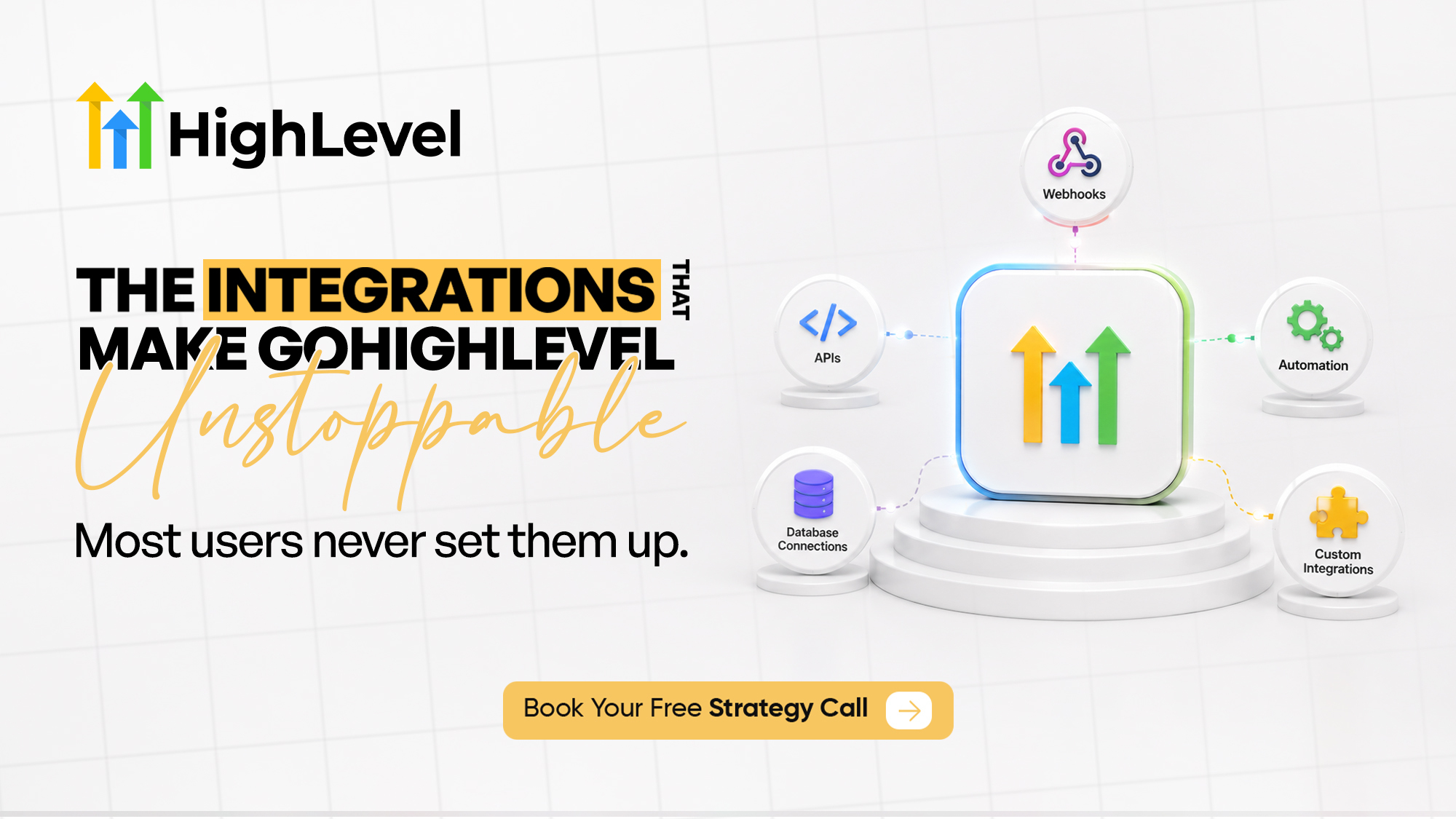
GoHighLevel has become one of the most powerful all-in-one CRM and marketing automation platforms available today. Businesses use it to manage leads, automate follow-ups, schedule appointments, send email and SMS campaigns, build websites and funnels, collect payments, and much more. While these features are impressive on their own, the true power of the platform is unlocked when it connects with the rest of your business software.
| TL;DR • GoHighLevel integrations connect your CRM with third-party tools, eliminating manual work and creating a seamless flow of data across your business systems. • You can integrate GoHighLevel using native integrations, APIs, webhooks, Zapier, or Make, depending on your business needs and the level of customization required. • Integrations help businesses respond to leads faster, reduce human error, improve customer experience, automate repetitive tasks, and scale operations more efficiently. • APIs provide the highest level of flexibility for custom software integrations, while webhooks enable real-time communication between GoHighLevel and other applications. • GoHighLevel integrates with popular platforms including Stripe, Twilio, Mailgun, Google Calendar, Outlook, Zoom, Facebook Lead Ads, Shopify, OpenAI, and many more, allowing businesses to centralize their workflows. • Real-world integrations can automate everything from lead capture and appointment booking to payment processing, customer onboarding, AI-powered conversations, and post-purchase follow-ups, saving hours of manual work every week. • Muhammad Nouman is a Certified GoHighLevel Expert specializing in GoHighLevel integrations, APIs, webhooks, Zapier, Make, and custom automation solutions. If you need to connect GoHighLevel with your existing software or streamline your business processes, book a strategy call with Muhammad Nouman to discuss your requirements and build the right integration for your business. • If you’re planning a custom GoHighLevel integration or want to connect GoHighLevel with your existing software, book a strategy call with me to discuss your requirements and discover the best integration solution for your business. |
Why GoHighLevel Integrations Are Essential for Modern Businesses
Very few businesses operate using a single application. Sales teams rely on CRMs, accounting teams use bookkeeping software, marketers depend on advertising platforms, and customer support often runs through dedicated help desk solutions. Without proper integrations, valuable information becomes scattered across multiple systems, forcing employees to manually copy data from one platform to another. This wastes time, creates unnecessary errors, and slows down business growth.
This is where GoHighLevel integrations become essential. Whether you want to connect your payment gateway, learning management system, AI assistant, ERP, calendar, marketing software, or a custom application, GoHighLevel provides multiple ways to build reliable connections that automate repetitive work and keep your business running smoothly.
In this guide, you’ll learn everything you need to know about GoHighLevel integrations, including APIs, webhooks, automation platforms like Zapier and Make, native integrations, and custom solutions. More importantly, you’ll discover how these integrations can simplify your operations, improve customer experience, and help your business scale efficiently.
What Are GoHighLevel Integrations?
Simply put, a GoHighLevel integration allows GoHighLevel to communicate with another application automatically. Instead of manually transferring information between two different systems, integrations enable data to move instantly whenever a specific event occurs.
Imagine someone fills out a contact form on your website. Without an integration, your team may need to copy that information into your CRM, send a welcome email manually, create a calendar appointment, and notify a salesperson. With a properly configured integration, every one of these actions can happen automatically within seconds.
Integrations eliminate repetitive administrative tasks while ensuring your customer information stays accurate across every platform you use. This allows your team to spend less time managing software and more time serving customers.
Businesses commonly integrate GoHighLevel with payment gateways, email providers, SMS services, calendars, accounting software, AI tools, customer support platforms, learning management systems, and countless other applications.
The goal isn’t simply connecting software—it is creating one unified business system where every application works together.
Why Are GoHighLevel Integrations So Important?
Many businesses invest in excellent software but never connect those tools together. As a result, employees spend hours every week performing manual work that technology could complete automatically.
For example, imagine receiving fifty new leads every day. If each lead requires manual entry into your CRM, assignment to a salesperson, creation of follow-up tasks, and notification emails, your team quickly becomes overwhelmed. Even worse, mistakes become inevitable. A missed lead can easily become a lost customer.
GoHighLevel integrations solve this problem by creating automated workflows that remove unnecessary manual effort.
Some of the biggest benefits include:
- Faster lead response times
- Reduced manual data entry
- Improved customer experience
- Fewer human errors
- Better reporting and analytics
- Increased employee productivity
- Consistent communication across every customer touchpoint
- Greater scalability as your business grows
Instead of managing disconnected software, your entire business begins operating like a single intelligent system.
Different Ways to Integrate GoHighLevel
One of GoHighLevel’s greatest strengths is its flexibility. Depending on your business requirements, there are several different ways to connect third-party applications.
Each method offers different levels of complexity, customization, and control.
Native Integrations
Native integrations are built directly into GoHighLevel. These are usually the easiest to configure because both platforms officially support each other.
Examples include payment processors, communication providers, calendar services, social media platforms, email providers, and various marketing tools.
Native integrations are ideal because they require minimal setup while offering excellent reliability. If GoHighLevel already supports the application you use, this is almost always the best place to start.
Zapier Integrations
Sometimes your favorite application doesn’t have a direct connection with GoHighLevel. That’s where Zapier becomes useful.
Zapier acts as a bridge between thousands of different software applications. It listens for events in one platform and automatically performs actions in another.
For example, when a customer submits a Typeform survey, Zapier can instantly create a contact inside GoHighLevel, assign the lead to a sales representative, trigger a workflow, and even send a confirmation email.
Zapier is an excellent option for businesses that want automation without writing code. It supports thousands of popular applications, making it one of the fastest ways to extend GoHighLevel’s capabilities.
Make (Formerly Integromat)
While Zapier focuses on simplicity, Make provides significantly more flexibility.
Make allows businesses to build advanced multi-step automation scenarios with branching logic, data transformation, conditional routing, scheduling, and complex workflows.
For example, instead of simply creating a contact inside GoHighLevel, Make could validate the customer’s email, enrich company information, update a spreadsheet, create an invoice, notify Slack, trigger AI analysis, and finally update your CRM—all within a single automated process.
For businesses managing larger operations or requiring sophisticated automation, Make often becomes the preferred solution.
Webhooks
Webhooks are one of the fastest ways for applications to communicate.
Unlike scheduled automation that checks for updates every few minutes, webhooks immediately notify another system whenever something important happens.
For example, the moment a customer books an appointment inside GoHighLevel, a webhook can instantly notify another application. That application may generate an invoice, update your ERP, notify your customer support team, or trigger another workflow.
Because webhooks operate in real time, they are widely used for high-speed business automation.
API Integrations
For businesses requiring complete flexibility, GoHighLevel offers powerful APIs.
An API (Application Programming Interface) allows developers to build completely customized integrations that go far beyond standard automation tools.
Instead of relying on predefined actions, APIs allow software systems to exchange information directly. Businesses can retrieve contacts, create opportunities, update pipelines, manage calendars, synchronize customer records, trigger workflows, generate reports, and much more.
Custom APIs are especially valuable for companies using proprietary software or industry-specific platforms that cannot be connected through standard automation tools.
Although APIs require technical knowledge, they provide the highest level of customization and scalability.
Understanding GoHighLevel APIs
When people hear the word “API,” it often sounds intimidating. In reality, APIs simply provide a secure method for two software applications to exchange information.
Think of an API like a waiter in a restaurant. You tell the waiter what you want, the waiter communicates with the kitchen, and then returns with your order. The waiter acts as the communication layer between you and the kitchen.
GoHighLevel APIs work the same way. They allow external applications to request information from GoHighLevel or send new information into the platform without requiring manual input.
This opens the door to virtually unlimited business automation.
For example, imagine your company has developed its own internal management system. Rather than asking employees to manually copy customer information into GoHighLevel, the internal software can automatically synchronize contacts, appointments, invoices, opportunities, and customer updates through the API.
Because APIs communicate directly between systems, they provide exceptional speed, reliability, and flexibility.
For growing businesses, API integrations often become the foundation for building scalable business operations.
Understanding Webhooks in GoHighLevel
While APIs allow applications to request information whenever they need it, webhooks work differently.
A webhook automatically sends information the moment something happens.
Imagine a customer submits a form on your landing page. Instead of another application repeatedly asking GoHighLevel if a new lead has arrived, GoHighLevel immediately pushes that information to the connected software.
This real-time communication makes webhooks extremely efficient for time-sensitive automations.
Businesses commonly use webhooks when:
- A new lead is created
- An appointment is booked
- A payment is received
- A form is submitted
- An opportunity changes stages
- A customer replies to a message
Because there is no waiting involved, webhooks help create instant customer experiences that improve satisfaction and increase conversion rates.
Popular GoHighLevel Integrations Every Business Should Know
One of the reasons GoHighLevel has become so popular is its ability to connect with the software businesses already use every day. Instead of replacing every tool in your technology stack overnight, GoHighLevel can work alongside many existing applications while gradually becoming the central hub for your customer data and marketing automation.
GoHighLevel integrates with many of the business tools you already use, helping you automate workflows and keep customer data synchronized. Payment platforms like Stripe, communication tools such as Twilio, Gmail, Outlook, and WhatsApp, and calendar apps like Google Calendar and Zoom all connect seamlessly to reduce manual work and improve efficiency.
Marketing integrations with Facebook Lead Ads, Google Ads, TikTok Lead Generation, LinkedIn Forms, and Shopify allow new leads and customer purchases to flow directly into GoHighLevel. This enables instant follow-ups, automated nurturing campaigns, appointment scheduling, and post-purchase engagement without manual intervention.
AI integrations are also transforming how businesses use GoHighLevel. By connecting platforms like OpenAI, Claude, ElevenLabs, Vapi, Retell AI, and Voiceflow, businesses can automate lead qualification, generate personalized responses, summarize conversations, and deploy AI voice assistants. Together, these integrations save time, enhance customer experiences, and create scalable business automation.
Real-World GoHighLevel Integration Examples
Understanding integrations becomes much easier when you see them solving real business problems.
Imagine a roofing company running Facebook advertising. A homeowner submits a request for a roofing estimate through a Facebook Lead Ad. Within seconds, the lead is automatically added to GoHighLevel, a personalized SMS and email are sent thanking the prospect, an opportunity is created inside the sales pipeline, and the appropriate sales representative receives an instant notification. If the customer doesn’t respond within a few hours, an automated follow-up sequence continues nurturing the lead until an appointment is booked. What once required several employees now happens automatically.
Now consider a business coach selling an online course. A customer purchases the course through Stripe. Instantly, GoHighLevel creates a customer profile, sends a receipt, enrolls the student into the course portal, schedules onboarding emails, creates reminder campaigns, and invites the customer to join a private community. The entire onboarding experience feels personal while requiring virtually no manual effort.
Healthcare clinics and med spas often use integrations differently. When a patient books an appointment, GoHighLevel can update the CRM, send confirmation messages, schedule reminders, notify staff members, collect intake forms, and trigger post-treatment follow-ups. This improves patient satisfaction while reducing missed appointments and administrative workload.
These examples demonstrate that integrations are not simply technical connections. They are business systems designed to save time, improve customer experiences, and increase revenue.
Which Industries Benefit Most from GoHighLevel Integrations?
Almost every industry can benefit from automation, but some rely on integrations more heavily than others.
Healthcare providers use GoHighLevel to automate appointment bookings, reminders, patient follow-ups, and reputation management. Coaches and consultants connect payment platforms, calendars, email marketing, and course portals to deliver a seamless client journey. Real estate professionals automate lead nurturing, appointment scheduling, and property inquiry management, ensuring no potential buyer is overlooked.
Home service businesses such as HVAC, plumbing, roofing, and electrical companies use GoHighLevel to capture leads, dispatch technicians, send appointment confirmations, collect reviews, and maintain long-term customer relationships through automated maintenance reminders.
Marketing agencies frequently integrate GoHighLevel with advertising platforms, reporting dashboards, communication tools, and white-label solutions to manage multiple client accounts efficiently. Educational organizations connect learning management systems, payment gateways, webinar platforms, and membership portals to automate student enrollment and engagement.
Regardless of the industry, the objective remains the same: reduce repetitive work, improve operational efficiency, and provide a better customer experience.
Common Integration Challenges
Although modern integration tools have become much easier to use, successful implementation still requires careful planning. Many businesses assume connecting two applications automatically guarantees a flawless workflow, but that is rarely the case.
One of the most common issues is poor data mapping. If customer information is not transferred correctly between applications, businesses may end up with incomplete records, duplicate contacts, or inconsistent reporting. Over time, these problems make it difficult to trust your CRM data.
Authentication errors are another frequent challenge. APIs, webhooks, and third-party platforms rely on secure credentials to communicate. If access tokens expire or configuration settings change, integrations may suddenly stop working without anyone noticing.
Businesses also struggle with automation logic. Triggering too many workflows simultaneously can create duplicate emails, repeated SMS messages, or conflicting actions that confuse customers. A poorly designed workflow can cause more problems than it solves.
Security should never be overlooked either. Customer information moves between multiple systems during integrations, making proper authentication, encryption, and access control essential for protecting sensitive business data.
For these reasons, successful integrations involve much more than simply connecting two applications. They require careful planning, testing, monitoring, and ongoing optimization.
Best Practices for Building Reliable GoHighLevel Integrations
The most successful businesses don’t automate everything immediately. Instead, they begin by mapping their customer journey and identifying repetitive processes that consume valuable time.
Before building any integration, clearly define what information needs to move between systems, when it should happen, and what actions should follow. Having a well-planned workflow significantly reduces implementation problems later.
Always test integrations using sample data before deploying them into a live business environment. Confirm that contacts are created correctly, automation triggers execute as expected, notifications reach the right people, and no duplicate records are generated.
It’s also important to document your workflows. As your business grows, multiple team members may manage your automation. Clear documentation makes future updates and troubleshooting much easier.
Finally, review your integrations regularly. Businesses evolve, software platforms release updates, and customer journeys change over time. Periodic optimization ensures your automation continues delivering value instead of creating hidden inefficiencies.
Advanced GoHighLevel Automation Ideas
Once your business has mastered basic integrations, the next step is leveraging advanced automation to create a truly scalable operation. Instead of simply moving data between applications, advanced workflows enable your software to make decisions, assign tasks, personalize customer experiences, and keep your team informed without constant manual intervention.
For example, an AI-powered receptionist can answer inbound calls, qualify leads, answer frequently asked questions, and schedule appointments directly into GoHighLevel. Sales teams can automatically receive instant notifications whenever a high-value lead enters the CRM, while customers who abandon a booking can receive personalized SMS and email reminders encouraging them to complete the process.
Businesses can also automate customer onboarding by sending welcome emails, creating internal tasks, granting access to membership portals, generating invoices, collecting feedback, and requesting online reviews—all from a single workflow. Marketing teams can segment contacts based on behavior, trigger targeted campaigns, and personalize follow-up sequences depending on how customers interact with emails, websites, or advertisements.
The possibilities become almost limitless when GoHighLevel is connected with AI platforms, accounting software, internal databases, and custom applications through APIs and webhooks. Rather than relying on disconnected software and manual processes, your business operates as one intelligent, automated system that saves time, reduces operational costs, and delivers a better customer experience.
When Should You Hire a GoHighLevel Integration Expert?
Although GoHighLevel makes many integrations accessible, not every project can be completed using drag-and-drop automation alone. As your business grows, integrations often become more complex, involving multiple applications, custom logic, secure APIs, and mission-critical workflows.
If you’re migrating from another CRM, connecting proprietary software, synchronizing customer data across multiple platforms, implementing AI-powered automation, or building custom API integrations, working with an experienced GoHighLevel specialist can save significant time and prevent costly mistakes.
An integration should do more than simply move data from one application to another. It should support your business processes, improve operational efficiency, and continue performing reliably as your company grows. Poorly designed integrations often lead to duplicate records, broken automations, inconsistent reporting, and frustrated customers.
Working with an expert ensures your integrations are planned correctly from the beginning, tested thoroughly, and built using best practices that provide long-term stability.
Best GoHighLevel Integration Expert
I’m Muhammad Nouman, a Certified GoHighLevel Expert specializing in GoHighLevel integrations, workflow automation, CRM implementation, and custom business solutions. Over the years, I’ve helped businesses automate their operations by connecting GoHighLevel with payment gateways, marketing platforms, AI tools, calendars, learning management systems, communication software, and custom applications using APIs, webhooks, Zapier, and Make.
Every business has different goals, workflows, and software requirements. That’s why I don’t believe in one-size-fits-all automation. I take the time to understand how your business operates, identify bottlenecks, and build integrations that eliminate repetitive work while improving customer experience and team productivity.
Whether you need a simple third-party integration or a fully customized API solution, I can help you design, implement, test, and optimize a scalable system that grows alongside your business.
If you’re planning to integrate GoHighLevel with another application—or you’re unsure of the best technical approach—I’d be happy to help. Book a strategy call, and we’ll discuss your current systems, understand your requirements, and create a practical implementation plan tailored specifically to your business.
Frequently Asked Questions
Can GoHighLevel integrate with any third-party application?
In many cases, yes. GoHighLevel supports native integrations, APIs, webhooks, Zapier, and Make, allowing it to connect with thousands of business applications. Even if there isn’t a direct integration available, a custom API solution can often bridge the gap.
Do I need coding knowledge to integrate GoHighLevel?
Not always. Many integrations can be built using native connections, Zapier, or Make without writing code. However, advanced integrations involving custom software or proprietary systems typically require API development.
What’s the difference between APIs and webhooks?
APIs allow applications to request and exchange information whenever needed, while webhooks automatically send data when a specific event occurs. Most advanced business systems use both together to create fast and reliable automations.
Which is better: Zapier or Make?
Both are excellent platforms. Zapier is generally easier for beginners and simple workflows, while Make offers greater flexibility, advanced logic, and more powerful automation for complex business processes.
Can GoHighLevel integrate with AI tools?
Absolutely. GoHighLevel can integrate with AI platforms such as OpenAI, Claude, ElevenLabs, Voiceflow, Retell AI, Vapi, and many others to automate conversations, qualify leads, summarize calls, and power AI voice assistants.
Is GoHighLevel suitable for enterprise businesses?
Yes. Thanks to its APIs, webhooks, and custom integration capabilities, GoHighLevel can support growing businesses that require advanced automation, centralized customer management, and scalable workflows.
How long does a GoHighLevel integration project take?
Simple integrations can often be completed within a few hours, while more advanced API implementations involving multiple systems may take several days or weeks depending on complexity.
Can you integrate GoHighLevel with our existing software?
In most cases, yes. Whether your business uses a popular cloud application or a custom-built internal system, I can assess the available integration options and recommend the most reliable solution.
Final Thoughts
GoHighLevel is much more than a CRM or marketing platform—it’s the foundation of a connected business ecosystem. When integrated correctly with your existing software, it can automate repetitive tasks, improve communication, centralize customer data, and create seamless experiences that help your business grow faster.
Whether you’re connecting payment gateways, advertising platforms, calendars, AI tools, accounting software, or custom business applications, the right integration strategy can dramatically improve efficiency while giving your team more time to focus on what matters most: serving customers and growing revenue.
If you’re ready to unlock the full potential of GoHighLevel, don’t settle for disconnected systems or manual processes. Book a strategy call with Muhammad Nouman to discuss your requirements, explore the best integration approach for your business, and build a scalable automation system that supports your long-term success.
Affiliate Disclosure
This article contains affiliate links. If you sign up for GoHighLevel using my affiliate link, I may earn a commission at no additional cost to you. I only recommend software that I personally use, trust, and believe delivers real value to businesses.
Visit our website Iloveghl for more Articles.









Be First to Comment