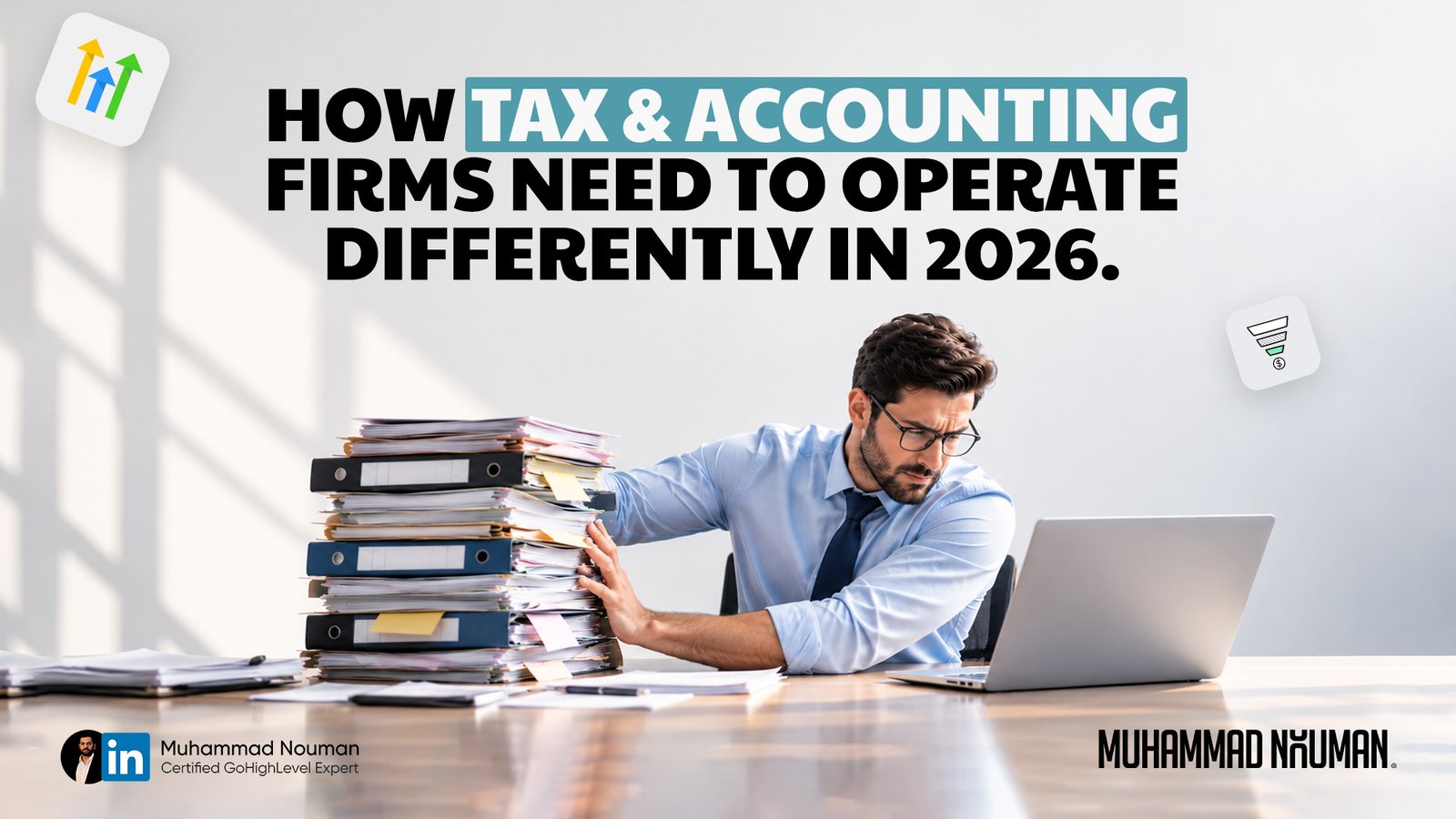
Running a tax or accounting firm involves much more than preparing returns and keeping financial records accurate. Between responding to inquiries, collecting client information, scheduling consultations, and following up on missing documents, administrative work can take up a significant part of the day. When these tasks depend on someone remembering every next step, it becomes harder to keep work moving consistently.
Accounting firm automation can help bring structure to these everyday responsibilities. With clear processes in place, firms can automate routine reminders, organize follow-ups, and give their teams better visibility into what needs attention. Clients receive clearer guidance, while accountants have more room to focus on work that requires their expertise.
Operating effectively in 2026 starts with examining how your firm handles the journey from a new inquiry to an ongoing client relationship. Where does progress slow down? Which tasks repeat unnecessarily? What still depends entirely on the owner? Answering these questions helps you identify where accounting firm automation can make a practical difference.
This article explores how tax and accounting firms can improve their daily operations, simplify onboarding, strengthen client communication, and build processes that support growth without adding unnecessary complexity.
| TL;DR Identify what slows your firm down. Review your client journey to find delayed responses, repetitive tasks, and unclear responsibilities. Address one specific problem before introducing new software. Organize every new inquiry. Keep prospect details, conversation history, and next steps in one shared system. Assign someone to follow up so opportunities do not get overlooked during busy periods. Make onboarding easier for clients. Provide clear welcome instructions, service-specific checklists, and a designated contact person. Clients should understand what to submit, where to send it, and what happens next. Automate reminders thoughtfully. Use accounting firm automation for appointment reminders, outstanding requirements, and internal tasks. Keep statuses accurate so messages stop when clients complete the required action. Maintain relationships throughout the year. Send relevant updates and schedule useful check-ins beyond tax season. Match communication to each client’s needs and the services your firm can deliver. Use AI with human oversight. AI can assist with drafting emails and organizing instructions, while your team checks accuracy and suitability. Keep professional decisions and sensitive information under appropriate controls. Make responsibilities and progress visible. Define who owns each task, what completion means, and when an issue needs escalation. Team members should understand a client’s status without relying entirely on the owner. Choose tools around your processes. Platforms such as GoHighLevel can support lead management, scheduling, and follow-up alongside your existing accounting and document systems. Start small and measure improvements. Pilot one workflow over 30 days. Track response times, onboarding delays, and missed actions, then refine the process before expanding automation. Get help implementing the right setup. I’m Muhammad Nouman, a Certified GoHighLevel Expert, Business Strategist, and Founder of Ignitto. I help firms with CRM setup, automation, onboarding workflows, and training. Book a 15-minute call to discuss your needs. |
Running a tax or accounting firm involves much more than preparing returns and keeping financial records accurate. Between responding to inquiries, collecting client information, scheduling consultations, and following up on missing documents, administrative work can take up a significant part of the day. When these tasks depend on someone remembering every next step, it becomes harder to keep work moving consistently.
Accounting firm automation can help bring structure to these everyday responsibilities. With clear processes in place, firms can automate routine reminders, organize follow-ups, and give their teams better visibility into what needs attention. Clients receive clearer guidance, while accountants have more room to focus on work that requires their expertise.
Operating effectively in 2026 starts with examining how your firm handles the journey from a new inquiry to an ongoing client relationship. Where does progress slow down? Which tasks repeat unnecessarily? What still depends entirely on the owner? Answering these questions helps you identify where accounting firm automation can make a practical difference.
This article explores how tax and accounting firms can improve their daily operations, simplify onboarding, strengthen client communication, and build processes that support growth without adding unnecessary complexity.
Start by Identifying What Slows Your Firm Down
Map How Work Moves Through Your Firm
Before introducing accounting firm automation, take a close look at how work moves through your business. From the moment a prospect contacts your firm to the point where your team begins delivering the service, every step should have a clear purpose, a responsible person, and a defined next action.
Review a Recent Client Journey
Start with a recent client. How long did it take to respond to their inquiry? Who followed up after the consultation? Did the client understand which documents to provide, or did your team explain the requirements several times? Reviewing an actual client journey can reveal delays that are easy to overlook when everyone is busy.
Identify Delays and Repeated Work
For example, a prospective bookkeeping client might submit a website form, receive a reply two days later, and then exchange several emails just to arrange a consultation. After agreeing to proceed, they might receive instructions from different team members. Each individual task seems small, but the overall process creates unnecessary work and uncertainty.
Define a Clearer Process
An improved process would give that inquiry an assigned owner, provide a clear booking step, and move the client into a consistent onboarding sequence once the engagement is confirmed. Accounting firm automation can support those steps through acknowledgments, reminders, and internal tasks, while your team handles questions and decisions that need personal attention.
Address One Recurring Problem First
Choose one recurring bottleneck to address first. Define what should happen, who is responsible, and how completion will be recorded. That gives you a practical foundation for automation and a clear way to judge whether the change is helping.
Give Every New Inquiry a Clear Next Step
Acknowledge the Inquiry and Explain What Happens Next
When someone contacts your firm, they should know what happens next. Whether they need tax preparation, monthly bookkeeping, or ongoing accounting support, your response should acknowledge their request and guide them toward an appropriate action. A clear process also helps your team keep track of prospects during busy periods.
Keep Every Inquiry in One Shared System
Start by recording each inquiry in one shared system. Include the person’s contact details, the service they need, the team member responsible, and the next follow-up date. Simple stages such as “New Inquiry,” “Consultation Booked,” and “Proposal Sent” make it easier to see which conversations need attention.
Automate Acknowledgments and Internal Tasks
Accounting firm automation can help keep this process moving. For example, when a business owner submits an inquiry about bookkeeping, an automated acknowledgment can explain when they should expect a response. The system can also create a task for the appropriate team member to review the request and arrange a consultation.
Match Follow-Up to the Prospect’s Actions
Follow-up should reflect what the prospect actually does. Someone who has already booked should receive appointment information rather than another invitation to schedule. A person who replies with a question needs a relevant answer, and someone who declines should leave the active follow-up sequence. These details make communication feel organized and attentive.
Set Response Standards and Assign Responsibility
Set a response standard your team can realistically maintain, and distinguish an automated acknowledgment from a meaningful personal response. Accounting firm automation works best when it supports clear ownership: every inquiry has someone responsible for moving the conversation forward, and every prospect understands their next step.
Make Client Onboarding Clear From the Start
Explain What Clients Need to Do Next
Once a client agrees to work with your firm, they need a clear path forward. Explain what information you need, where they should submit it, who they can contact, and what happens next. When these instructions arrive in scattered emails, clients can miss important steps and your team ends up repeating the same explanations.
Tailor Onboarding to Each Service
Create an onboarding process for each core service. A monthly bookkeeping client may need to provide access to accounting records, while a tax preparation client may have a different document checklist. Tailoring the instructions keeps requests relevant and makes them easier to complete.
Automate Welcome Messages and Task Assignments
Accounting firm automation can help coordinate this process. Once the appropriate engagement steps are complete, a workflow can send welcome instructions, assign internal tasks, and schedule reminders for outstanding requirements. Your team should be able to see whether the client is awaiting instructions, gathering information, or ready for work to begin.
Keep Reminders Aligned With Client Progress
For example, a new client might receive a welcome email directing them to your firm’s approved secure portal. If information remains outstanding, a reminder can explain the next step and offer help. Once the submission has been checked and marked complete, those reminders should stop. If your systems cannot share completion updates reliably, assign someone to update the status.
Keep Document Handling Secure and Accountable
Keep sensitive records within the systems your firm has approved for that purpose. Accounting firm automation should support communication around document collection, with clear responsibility for checking submissions. A well-organized onboarding experience gives clients confidence and helps your team begin work with the information it needs.
Keep Client Relationships Active Throughout the Year
For firms focused on seasonal tax preparation, client communication can become concentrated around filing deadlines. Once the work is complete, months may pass without a meaningful conversation. A planned communication schedule gives your firm opportunities to stay helpful and understand how a client’s needs are changing.
Start with the services each client actually uses. An individual tax client might appreciate preparation guidance before their next appointment, while a business owner receiving monthly bookkeeping may benefit from a scheduled review of outstanding items. Each message should have a clear purpose and relate to the client’s situation.
Accounting firm automation can support this consistency by organizing contacts into relevant groups and scheduling appropriate communication. For example, after completing an engagement, your team could schedule a future check-in. That message might invite the client to discuss changes in their business or book a conversation about additional support.
Keep these messages useful and measured. Avoid sending every client the same sequence or promoting services that do not match their needs. Leave room for personal responses, and make sure someone is responsible for handling replies. An automated check-in only starts the conversation; the value comes from how your firm responds.
If you want to develop more year-round work, first define the service, its scope, and your capacity to deliver it. Accounting firm automation can help you maintain contact and introduce relevant offers, while your team builds the relationship through dependable service and informed advice.
Use Automation and AI With a Clear Purpose
Every tool you introduce should solve a specific operational problem. Before adding automation or AI to your firm, identify the task you want to improve, the information it requires, and the person responsible for checking the result. This makes it easier to judge whether the change is helping your team.
Accounting firm automation is useful for predictable actions, such as sending an appointment reminder or assigning a follow-up task when a client reaches a particular stage. AI can assist with drafting general communications, organizing internal instructions, or simplifying the wording of an onboarding email. These functions serve different purposes and need different levels of oversight.
For example, your team could use AI to draft a welcome email, review it for accuracy and tone, and approve it as a template. An automated workflow could then send that approved message when a client completes the required engagement steps. This combines reviewed content with a consistent delivery process.
Set clear boundaries around the information staff can enter into AI tools, following your firm’s data-handling policies. Client-specific advice and consequential decisions should remain subject to your established professional review. Give staff a clear route for escalating questions or unexpected outputs.
Evaluate the full process, including checking and corrections. If a tool produces drafts quickly but creates substantial editing work, its benefit may be limited. Start with a manageable task, review the results, and expand accounting firm automation where it demonstrably improves consistency or reduces repetitive effort.
Make Responsibilities Clear and Progress Visible
When routine decisions repeatedly come back to the owner, work can slow down even when the team has the skills to handle it. Staff need to know which tasks they own, what completion looks like, and when an issue requires additional input. Clear responsibilities help your firm maintain momentum during busy periods and staff absences.
Assign an owner to each important stage of the client journey. One person may review new inquiries, another may check onboarding submissions, and another may prepare completed work for professional review. Each handoff should include the information the next person needs to proceed.
Accounting firm automation can support these handoffs by creating tasks, notifying the appropriate team member, and flagging overdue actions. For example, once onboarding information has been checked and marked complete, the system could notify the person responsible for starting the work. That transition should depend on a confirmed status rather than an assumption that everything has arrived.
Keep procedures brief and accessible. Explain what triggers the task, who handles it, what they must check, and how they record completion. Include a clear escalation route for missing information or unusual requests so employees can recognize when they need help.
A useful test is whether another authorized team member could understand a client’s progress without asking the usual contact. They should be able to identify what is complete, what remains outstanding, and who acts next. Accounting firm automation becomes more effective when it supports this shared understanding across your team.
Track the Numbers That Show Where Work Gets Stuck
To understand whether your processes are improving, look beyond the number of clients your firm serves. You also need visibility into how quickly inquiries receive attention, how smoothly clients complete onboarding, and where tasks remain unfinished. These measures help you identify problems while they are still manageable.
Start with a small set of useful indicators: inquiry response time, consultation attendance, proposal acceptance, onboarding completion time, and overdue tasks. Define each measure clearly. An automatic acknowledgment, for example, should be recorded separately from a personal response that answers the prospect’s question.
Accounting firm automation can help record activity and highlight items needing attention, provided your team keeps statuses accurate. A report showing several clients waiting for onboarding may reveal a recurring delay, but someone still needs to investigate the cause. The issue could involve confusing instructions, missing information, or an internal review queue.
Review the results regularly and choose a specific action. If clients frequently miss consultations, examine the booking instructions and reminder process. If onboarding takes longer than expected, review recent cases to see which step causes the delay. Compare similar services so that differences in complexity do not distort your conclusions.
Measure improvements against your own starting point. Look for fewer missed actions, clearer handoffs, and less repetitive effort alongside faster completion. This gives you a practical way to evaluate accounting firm automation
Where GoHighLevel Fits Into Your Firm’s Operations
Once you have defined your processes, you can assess which tools will support them. For accounting firm automation, GoHighLevel can help organize the communication and follow-up surrounding your services, from the first inquiry through appointment booking and ongoing contact.
GoHighLevel combines CRM, pipelines, scheduling, email and SMS tools, and workflow automation. These features can help your team keep track of prospects and coordinate routine actions in one place.
For example, you could configure a workflow that acknowledges a website inquiry, assigns a follow-up task, and sends appointment information once the prospect books. The process should also account for replies, cancellations, and status changes so communication stays relevant.
Evaluate GoHighLevel alongside your accounting software, practice management tools, and approved document systems. Check where it addresses an actual gap and which connections are available before planning integrations. Clear responsibilities for maintaining records and checking workflows are essential to making the setup useful.
The right accounting firm automation setup should match your services, team capacity, and client journey. Start with a defined process, test it carefully, and expand as your needs become clearer.
Start With One Improvement Over the Next 30 Days
Putting accounting firm automation into practice becomes more manageable when you begin with one clearly defined process. Choose a recurring issue, such as delayed inquiry responses or incomplete onboarding, and establish what a better outcome would look like.
During the first week, document the existing steps. Identify who handles each task, where information is recorded, and what typically causes delays. Review a few recent cases to establish a starting point you can compare against later.
In the second week, design the improved process. Define the trigger, responsible team member, required communication, and completion condition. Decide which actions can be automated and where someone needs to review information or speak directly with the client.
Use the third week to configure and test the workflow with sample records. Check what happens when someone replies, reschedules, submits incomplete information, or finishes a task. Confirm that reminders stop when they should and that exceptions reach the right person.
During the fourth week, introduce the process to a manageable group and collect feedback from your team. Compare the results with your starting point, looking at missed actions, delays, and manual effort. Adjust the workflow before expanding it.
This gradual approach gives your team time to learn and helps you build accounting firm automation around the way your firm actually works. The first improvement also creates a repeatable method for addressing the next operational challenge.
Frequently Asked Questions
What is accounting firm automation?
Accounting firm automation uses software to handle routine tasks such as inquiry acknowledgments, appointment reminders, follow-up messages, and internal task assignments. It works best when each process has clear instructions, accurate records, and someone responsible for reviewing exceptions.
What should a tax or accounting firm automate first?
Start with a repetitive task that regularly causes delays. Lead follow-up, appointment reminders, and onboarding communication are practical starting points. Choose one process, define how it should work, and test it before expanding.
Can a small accounting firm benefit from automation?
Yes. A small firm can use automation to maintain consistent communication and reduce the number of tasks that depend on the owner’s memory. The setup should match the firm’s workload, budget, and ability to maintain it.
How can automation improve client onboarding?
Accounting firm automation can send welcome instructions, assign onboarding tasks, and remind clients about outstanding requirements. Completion statuses must stay accurate so reminders stop when the required information has been received and checked.
How can GoHighLevel support accounting firm automation?
GoHighLevel can support contact management, lead pipelines, appointment scheduling, and automated email or SMS follow-up. Its role should be defined alongside your accounting software, practice management tools, and approved document systems.
Will automation make client communication feel impersonal?
Communication can remain personal when messages reflect the client’s service, current stage, and recent actions. Give clients a clear way to reach your team, and assign someone to handle replies and questions that need individual attention.
How much does accounting firm automation cost?
The cost depends on the software, workflows, integrations, and training required. Separate the initial setup fee from ongoing software subscriptions, usage charges, and any maintenance. Defining your requirements first makes it easier to estimate the investment accurately.
How can I get help setting up automation for my firm?
You can book a 15-minute call with Muhammad Nouman to discuss your existing tools, operational challenges, and priorities. That conversation helps establish an appropriate scope for your setup.
How Can I Help Your Tax or Accounting Firm
I’m Muhammad Nouman, a Certified GoHighLevel Expert, Business Strategist, and Founder of Ignitto. I help tax and accounting firms build practical systems to manage inquiries, follow up with prospects, simplify onboarding communication, and reduce repetitive administrative work.
My accounting firm automation services include CRM and pipeline setup, automated email and SMS follow-up, appointment scheduling, onboarding workflows, websites, and funnels. I also help with suitable integrations and provide training so you and your team can confidently use the systems we build.
We begin by discussing how your firm operates, which tools you already use, and where work gets delayed. From there, we define a clear scope around your priorities. Whether you need a new GoHighLevel setup or improvements to an existing account, each workflow should serve a specific purpose and have someone responsible for maintaining it.
Building a more organized firm starts with understanding what needs to change. With clear processes and thoughtfully implemented accounting firm automation, you can give your team a more consistent way to manage everyday work and support your clients.
Want to discuss how this could work for your firm? Book a 15-minute call with me, and let’s talk about your current process, your challenges, and how I can help.
Affiliate Disclosure:
If you purchase through my link, I may earn a commission at no additional cost to you. I only recommend GoHighLevel because I trust its effectiveness in helping businesses automate and scale their sales processes.
Read more articles here






Be First to Comment