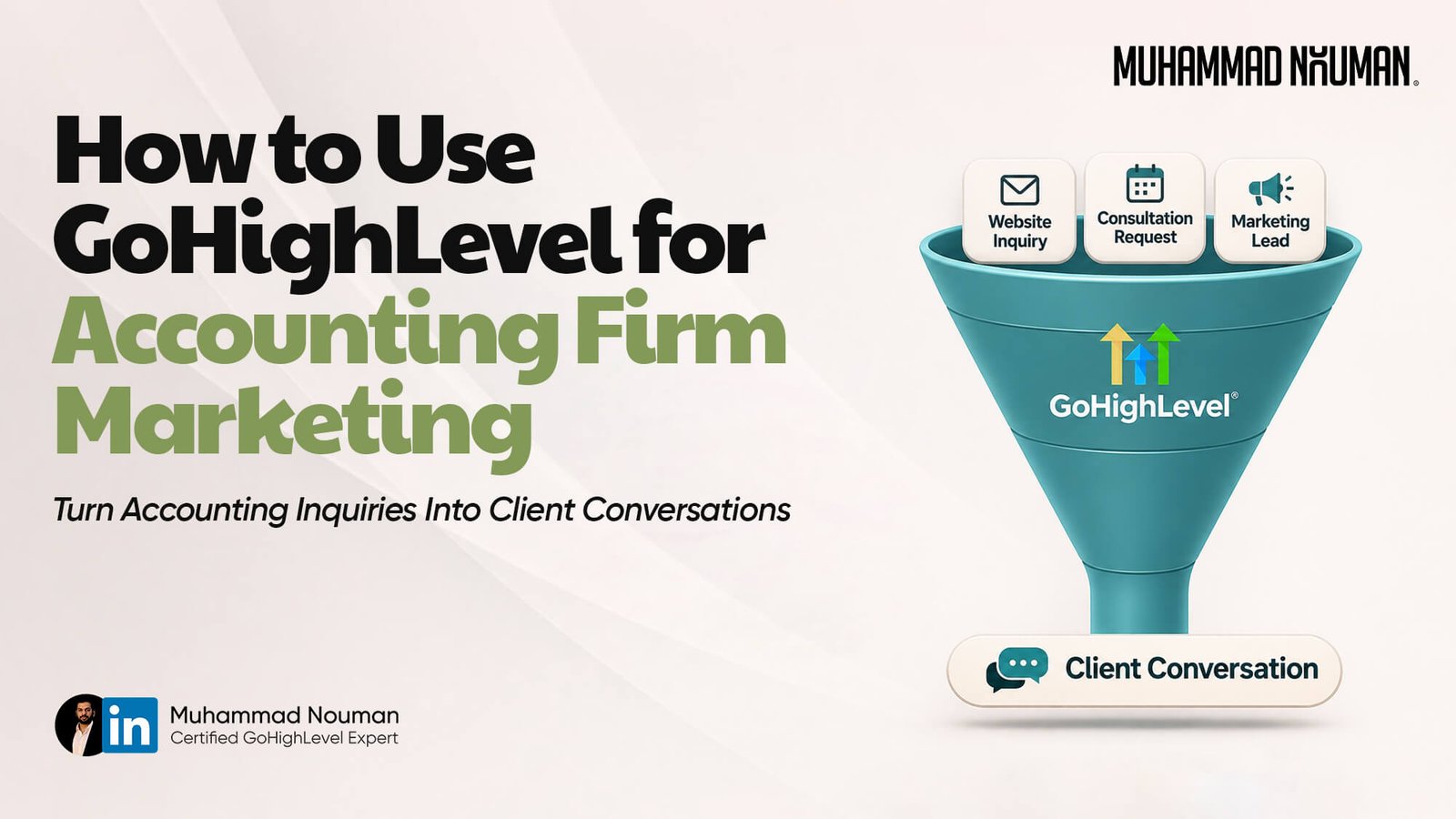
How to Use GoHighLevel for Tax and Accounting Firms’ Marketing
Using GoHighLevel for tax and accounting firms starts with connecting your marketing to a clear client acquisition process. Capture an inquiry, record what the prospect needs, assign someone to respond, offer the appropriate consultation, and track whether that conversation becomes an accepted engagement.
This matters because attracting attention is only part of accounting firm marketing. Someone can visit your website, ask about bookkeeping, and disappear because nobody owns the next step.
A well-configured CRM helps your team manage those opportunities consistently. It also gives you a clearer view of which marketing activities produce suitable prospects.
This guide explains how to build that system, what to automate, and where your accounting or practice-management software should take over.
Disclosure: This article contains affiliate links. I may earn a commission if you purchase through them.
TL;DR
- Connect each marketing campaign to a relevant service page, inquiry form, and clear next step.
- Organize prospects by service interest and pipeline stage so your team knows who needs attention.
- Automate acknowledgments and booking reminders while assigning a person to handle replies.
- Measure qualified inquiries, attended consultations, and accepted engagements rather than relying on contact counts.
- Keep tax documents and sensitive financial information in your firm’s approved secure systems.
- Muhammad Nouman, Certified GoHighLevel Expert, helps tax and accounting firms build CRM, follow-up, booking, and onboarding systems. Book a strategy call to discuss your firm’s needs.
Where GoHighLevel for Tax and Accounting Firms Fits
Think about the journey before someone becomes a client.
A business owner finds your firm through a referral, advertisement, search result, or social post. They review your services, submit an inquiry, and decide whether to book a conversation.
Your marketing CRM coordinates that journey.
It should help your team answer practical questions:
- Who contacted us?
- Which service do they need?
- Where did the inquiry come from?
- Who is responsible for responding?
- Has the prospect booked or attended a consultation?
- What should happen next?
The platform’s documented workflow actions include contact updates, assignments, tasks, communications, and opportunity management. These provide building blocks for a coordinated marketing process. See the official workflow action reference. help.gohighlevel.com
However, your CRM has a different purpose from the systems used to deliver accounting services.
| System | Primary role in your firm |
|---|---|
| Marketing CRM | Inquiries, conversations, follow-up, and sales progress |
| Bookkeeping software | Financial transactions, accounts, and reporting |
| Tax preparation software | Preparing and processing tax returns |
| Practice-management software | Engagement delivery, work assignments, deadlines, and related processes |
| Approved secure portal | Collecting and exchanging sensitive client documents |
Define these responsibilities before connecting tools. Otherwise, you may create duplicate records and uncertainty about where staff should work.
Start With One Service and One Marketing Goal
An accounting firm may offer tax preparation, bookkeeping, payroll, advisory, and other services. Each attracts people with different questions.
Someone looking for monthly bookkeeping support needs different information from someone asking about individual tax preparation.
Start with one service your firm wants to grow.
For example:
Help suitable small-business owners request a consultation about monthly bookkeeping.
Then define the intended audience, service area, qualification criteria, and available consultation capacity.
Your campaign should lead to a page that explains that specific service. Sending every prospect to a general homepage makes them search for the information they need.
A focused service page should cover:
- Who the service is for.
- The problem your firm helps address.
- What working with your team involves.
- What the first conversation covers.
- How to request that conversation.
Avoid promising financial results or tax savings. Explain your process and service scope accurately.
A clear offer makes automation easier because the next step is already defined.
Capture Inquiries Without Creating a Complicated Form
Your first form should help your team start a useful conversation.
For a bookkeeping campaign, that might mean collecting a name, business email, company name, broad service interest, and preferred contact method.
Ask only what you need at this stage.
A long form that requests detailed financial information can create unnecessary work for both the prospect and your staff. Those details may belong later in your approved onboarding process.
Include a short instruction near any open text field:
Please do not submit tax returns, Social Security numbers, account credentials, or sensitive financial documents through this form.
After submission, show a confirmation explaining what happens next. If the prospect can book immediately, provide the appropriate calendar link. If your firm reviews inquiries first, explain that process.
Only promise a response time your team can meet.
For example, “A team member will review your inquiry” is more useful than an automatic promise of an immediate personal response when nobody is available.
Before launching the campaign, submit the form yourself. Confirm the information reaches the correct record and the assigned staff member receives the expected notification.
Organize Prospects by Service Interest
Using GoHighLevel for tax and accounting firms becomes more useful when the information in each record supports an actual decision.
A service-interest field can help route inquiries to the right team member. A lead-source field can support reporting. An owner field makes responsibility visible.
Start with a small set of fields:
| Field | Why it matters |
|---|---|
| Service interest | Helps determine the appropriate response |
| Lead source | Supports marketing comparisons |
| Assigned owner | Identifies who must take action |
| Qualification outcome | Separates suitable inquiries from poor fits |
| Next action date | Prevents open conversations from being forgotten |
| Communication preferences | Helps staff use the appropriate channel |
Use consistent options instead of letting everyone type different versions of the same answer.
For example, “Bookkeeping,” “Monthly books,” and “Bookkeeping service” may all mean the same thing. A standard dropdown makes the records easier to filter.
Use tags for useful labels, such as a campaign or event. Avoid creating so many tags that staff cannot tell which ones matter.
Every field should earn its place by helping someone act or measure progress.
Build a Pipeline Your Team Can Maintain
A pipeline shows where an inquiry stands in your sales process.
A practical starting structure is:
New inquiry → Contacted → Qualified → Consultation booked → Consultation completed → Engagement accepted
Track declined, unsuitable, and unresponsive inquiries as separate outcomes.
Each stage needs a clear meaning. “Contacted” should mean a defined contact attempt occurred. “Consultation completed” should mean the meeting happened. “Engagement accepted” should follow your firm’s acceptance process.
Do not automatically mark an opportunity as won because someone booked a call.
You can use documented form and appointment triggers to start workflows, then configure opportunity actions to reflect the intended stage changes. The exact filters and actions need to match your process. See the official workflow trigger reference. help.gohighlevel.com
Keep the pipeline small enough that your team can maintain it daily.
If stages do not change what someone does next, they may be unnecessary.
Automate the First Response and Booking Follow-Up
A prospect should receive a clear acknowledgment after submitting an inquiry. That acknowledgment confirms the form worked and explains the next step.
It does not need to sound like a sales pitch.
Here is a hypothetical example:
Hi [First Name],
Thank you for contacting [Firm Name] about bookkeeping support.
You can request an introductory conversation here: [Booking Link]. We’ll discuss what you need, explain our process, and check whether our services are a suitable fit.
Please use this conversation for general questions. We’ll explain our approved document-sharing process if we move forward.
Your firm should approve the wording and audience before activation.
A useful workflow needs more than a message:
| Component | Example configuration |
|---|---|
| Trigger | Submission of the bookkeeping inquiry form |
| Inputs | Contact details, service interest, source, and relevant communication preferences |
| Actions | Record the inquiry, create an opportunity, assign an owner, and send acknowledgment |
| Owner | Named staff member or intake team |
| Follow-up | A limited booking reminder if the prospect remains eligible |
| Human handoff | Assign replies and substantive questions to the owner |
| Stop conditions | Reply, booking, opt-out, decline, disqualification, or sequence completion |
| Success metric | Qualified inquiries progressing to attended consultations |
The platform’s “Stop on Response” setting removes a contact when they reply to a message from that specific workflow. Booking and other outcomes still need their own handling. See the official workflow settings guide. help.gohighlevel.com
Before each reminder, check whether the prospect has already booked or moved into an active conversation.
Automation should support the conversation your staff is having.
Connect Consultations to the Right Calendar
A booking process should reflect your firm’s service structure and availability.
You might need different consultation paths for tax preparation and ongoing bookkeeping. Alternatively, one intake calendar may work if a team member qualifies every inquiry first.
Choose the simpler arrangement that your staff can manage.
For each booking path, define:
- The purpose and length of the meeting.
- Who attends from your firm.
- Available appointment times.
- Any review required before booking.
- The meeting location or connection method.
- Cancellation and rescheduling instructions.
Then configure the messages around the appointment.
A confirmation should state what the meeting covers. A reminder should help the prospect attend and include a practical way to reschedule.
Keep reminders free of sensitive financial details.
Test booking, rescheduling, cancellation, and no-show handling separately. A new appointment and a changed appointment should produce the right next action without leaving old reminders running.
Measure attended consultations as well as bookings. A calendar full of appointments provides limited value if many prospects never attend.
Use Different Follow-Up for Different Services
Relevant follow-up begins with understanding why someone contacted your firm.
A tax preparation inquiry may need an explanation of your intake process and availability. A bookkeeping inquiry may need information about ongoing service scope and how the introductory discussion works.
Avoid placing both into the same generic campaign.
A short educational sequence can address common buying questions:
- What happens during the introductory consultation?
- Who is the service designed for?
- How does your firm begin a new engagement?
Each message should have one clear purpose.
Before sending U.S. commercial email, configure the required sender information, truthful subject lines, postal address, and opt-out process. The FTC explains these requirements in its commercial-email compliance guide. Federal Trade Commission
Treat SMS as a separate implementation decision, with the relevant consent and messaging requirements reviewed before activation.
A CRM record alone does not establish permission for every kind of communication.
Review Past-Client Campaigns Before Importing Records
Reconnecting with former clients can be useful, but taxpayer information requires particular care.
Do not assume your entire tax client database can be uploaded into a marketing platform or used to advertise every service your firm offers.
The IRS explains restrictions under Section 7216, including limits on lists maintained for soliciting tax return preparation business. Those lists cannot simply be used to solicit unrelated services. Review the IRS Section 7216 information center before planning the audience and data transfer. Internal Revenue Service
Have the appropriate person approve:
- Which records may be used.
- Which information may be transferred.
- The permitted campaign purpose.
- Vendor access and handling.
- Required permissions and exclusions.
Build the campaign after those decisions are clear.
This is especially important when a firm wants to promote bookkeeping or advisory services to people whose information originated in tax preparation work.
Track Which Marketing Sources Produce Clients
Contact counts tell you how much activity a campaign generated. They do not tell you whether it attracted suitable clients.
Track the complete journey:
| Measure | What it helps you assess |
|---|---|
| New inquiries | Initial campaign response |
| Qualified inquiries | Audience and service fit |
| Booked consultations | Progress toward a conversation |
| Attended consultations | Actual sales opportunities |
| Accepted engagements | Client acquisition |
| Acquisition spending | Cost of generating those engagements |
The platform records first and latest attribution for supported tracked interactions. Its official attribution documentation explains how these differ and which events record attribution. help.gohighlevel.com
Test your actual website journey. External forms, redirects, and booking tools can require additional setup.
Also record referral sources deliberately. A prospect introduced by a payroll provider may arrive through an ordinary website visit, leaving the relationship unclear unless you capture it.
For a hypothetical comparison, one campaign might generate 40 inquiries and two accepted engagements. Another might generate 15 inquiries and four accepted engagements.
You still need spending and delivery-cost information to assess value, but the example shows why inquiry volume alone is insufficient.
Hand Accepted Clients Into Your Delivery Process
Once an engagement is accepted, the next task is onboarding.
Your CRM can coordinate the handoff, while your approved practice system or secure portal handles the appropriate documents and service work.
Define the handoff clearly:
- Who confirms acceptance?
- Who sends onboarding instructions?
- Where does the client submit documents?
- Who checks onboarding progress?
- Which system holds the authoritative status?
Begin with a staff-controlled handoff if that is the most reliable option.
If you need an integration, specify the source system, destination system, supported event, allowed fields, and sync direction before building it.
For example, a proposed custom connection might send an accepted-engagement status from the CRM into a practice system to request creation of an onboarding task. That remains a design proposal until both systems’ capabilities are verified.
Do not assume a connector provides universal two-way synchronization.
Error handling matters too. Someone needs to know when a transfer fails and how to correct it without creating duplicate records.
Decide Whether the Setup Is Worth the Cost
Using GoHighLevel for tax and accounting firms makes the most sense when there is a clear coordination problem to solve.
Examples include unanswered inquiries, inconsistent follow-up, unclear ownership, or limited visibility into marketing outcomes.
A firm receiving a handful of inquiries may manage adequately with its existing tools and a disciplined manual process.
Before committing, consider subscription costs, communication usage, setup work, staff training, maintenance, and any external connectors or additional services.
Compare that total with the operational problem.
Ask practical questions:
- Which repeated tasks will become easier?
- Which missed handoffs will the setup address?
- Can staff maintain the records?
- Does it duplicate an existing system?
- Who owns updates when the process changes?
Start with one working acquisition journey. Add more services or campaigns once staff can use it consistently.
Frequently Asked Questions
Can I use the platform with my existing website?
Potentially. First identify how your website captures inquiries and bookings. A native form or calendar approach and an external-tool approach may require different setup. Test the actual journey before relying on automation or attribution.
Should every accounting service have a separate pipeline?
Not necessarily. Use separate pipelines when the sales processes differ meaningfully. If the stages and responsibilities are the same, one pipeline with a service-interest field may be easier to maintain.
Can it replace tax preparation or bookkeeping software?
Its role in this setup is marketing and inquiry management. Keep return preparation, financial records, and service delivery in systems suited to those responsibilities.
What should my firm automate first?
Start with inquiry acknowledgment, owner assignment, and the next booking step. These address a common handoff problem and are easier to assess than a large collection of campaigns.
How do I know whether the setup is working?
Compare qualified inquiries, attendance, accepted engagements, response times, and spending by source. Review whether staff are completing the next actions and whether prospects receive relevant communication.
About the Author and How I Can Help
I’m Muhammad Nouman, a Certified GoHighLevel Expert and founder of Ignitto. I help businesses build marketing and client-management systems around how their teams work.
For tax and accounting firms, I can help with:
- Service pages, funnels, and inquiry forms.
- CRM fields, pipelines, and lead assignment.
- Consultation calendars and booking workflows.
- Follow-up automation with clear human handoffs.
- Source tracking and integration planning.
- Staff training, optimization, and ongoing support.
Bring your website, software list, target services, and current inquiry process to a strategy call. These give us a practical starting point for identifying improvements.
When considering GoHighLevel for tax and accounting firms, start with a process your staff can use and your prospects can understand.
Book a 15-minute strategy call to discuss your firm’s setup.
If you are evaluating the software, you can also explore GoHighLevel through my affiliate link.
Disclosure: This article contains affiliate links. I may earn a commission if you purchase through them.






Be First to Comment